
Driving insights about you, not a league table
Orbily records a drive while you are sharing your location with an orbit, and shows the route, distance, duration and speed afterwards. An indicative score out of 100 looks at speed, braking, acceleration and cornering, and phone pickups are counted beside it. There is no leaderboard.
Join the beta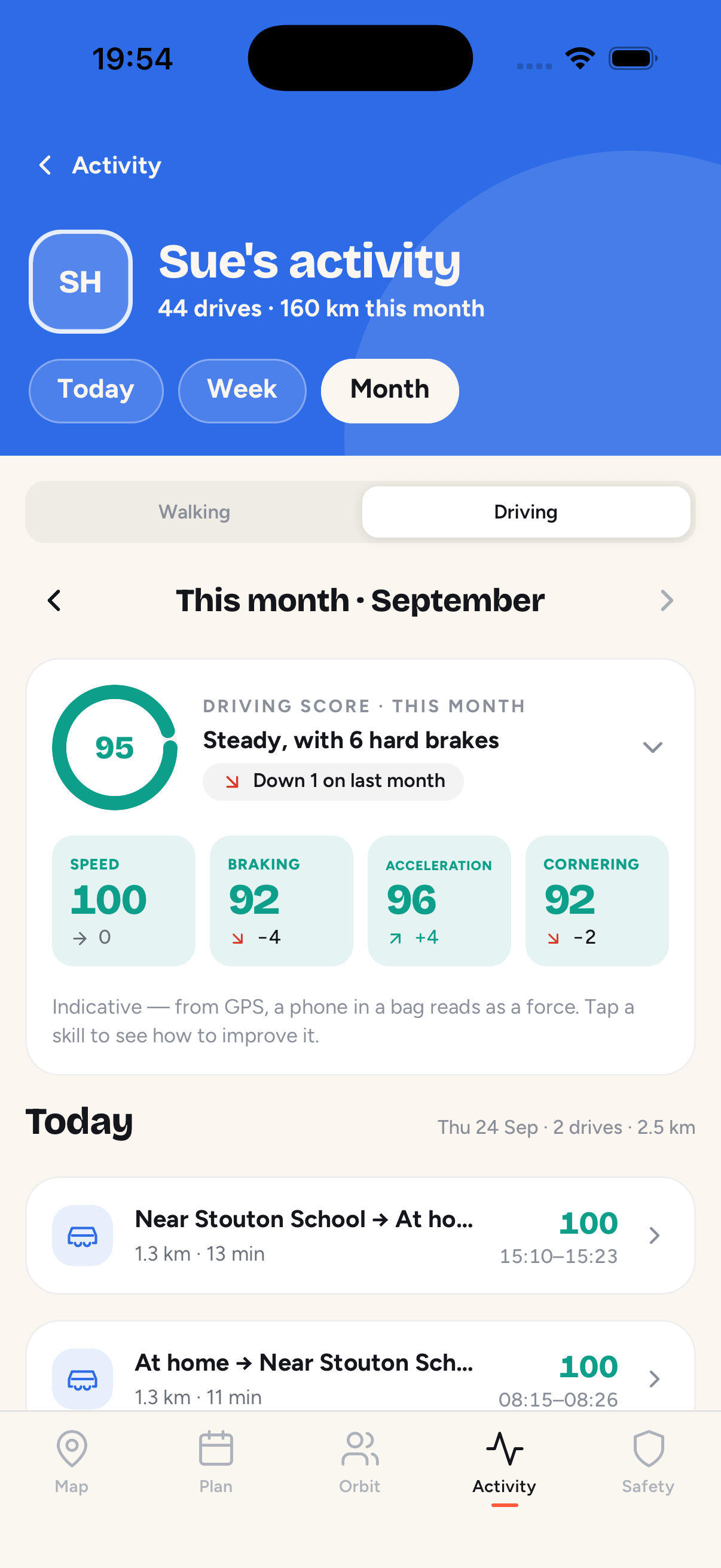
How does Orbily know I am driving?
Drives are worked out from the location you are already sharing, so nothing is recorded while you are not sharing, and recording a drive adds no extra tracking. Drive recording is on by default and can be switched off in Settings.
What does a drive show?
The route on a map, where it started and ended, the distance, how long it took, and the average and top speed.
How is the driving score worked out?
Your drives add up to a score out of 100, made of four skills: speed, braking, acceleration and cornering. The scales are fixed and the same for everyone. Speed is judged against set thresholds, such as time spent above 70 mph, because Orbily has no speed-limit data.
The score is indicative, not evidential. A phone loose in a bag or a pothole can look like harsh braking, and the score says it has not settled until you have made a few drives.
Does Orbily count phone use while driving?
Yes. Orbily counts pickups — the phone picked up or unlocked while the car is moving — and shows them beside the score, never inside it. Fewer is better.
Who sees my driving?
The orbits you were sharing your live location with when you drove. They see your score, skills and pickups, and an overall average for the orbit, with members listed in the order they joined — never ranked.
More questions about driving insights
No. Each person's score is indicative and uses the same absolute scale for everyone. The orbit sees an overall average, but members are always listed in the order they joined, never sorted by score, and there is no leaderboard.
No. Orbily does not detect crashes and does not call the emergency services for you. If you are in an accident, call 999 in the UK, or your local emergency number, first.